


AcuPick — a video search engine that finds a person or vehicle in one click
AcuPick solves the most tedious part of video surveillance: going through the recordings. You click a person or a vehicle in the footage and the system brings up every other place the same target passed a camera. AcuPick 2.0 (2024) added pre-search, new search types, a trajectory on the map, and support for third-party cameras.
1. Where it came from
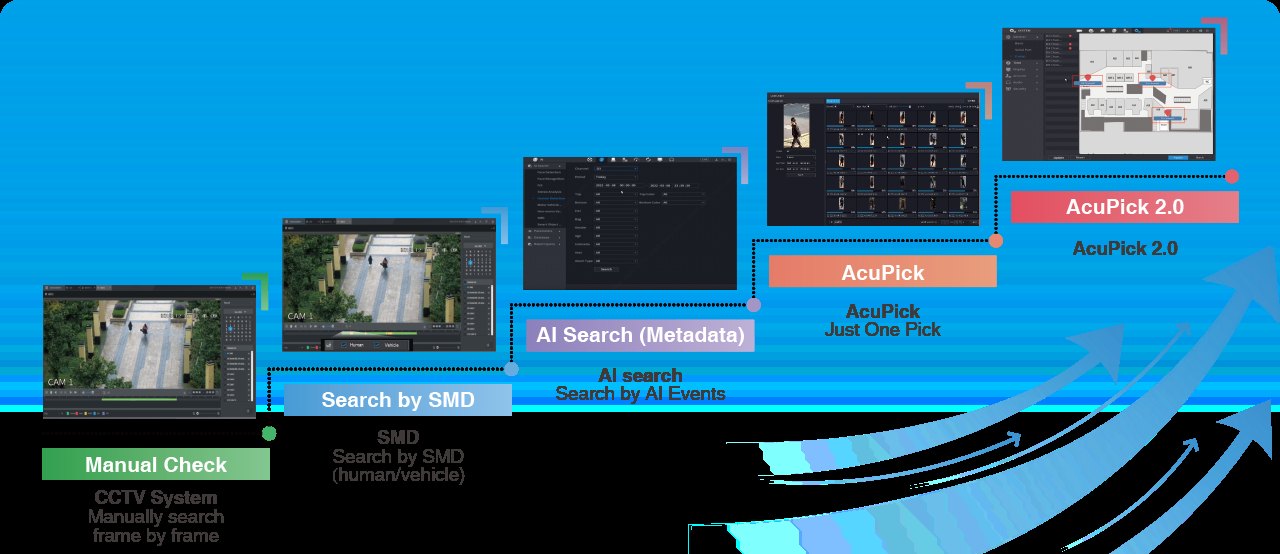
Searching recordings has gone through four stages: scrolling frame by frame, then SMD (human/vehicle), then searching AI events, and finally AcuPick — where you no longer describe the target, you point at it.
2. Before the search: finding the target in the first place
To use AcuPick you first have to locate the target. 2.0 added pre-search for exactly that: you draw an area or a line straight onto the image and get the clips where someone crossed it. It works both in the live view and in playback.
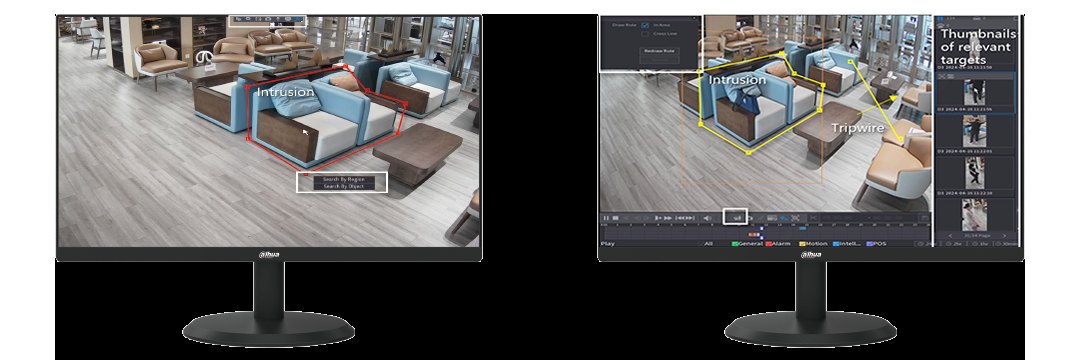
Two things make this practical:
- Self-learning IVS — recurring false alarms in the same view can be added to an experience database, after which they stop cluttering the results.
- Pre-search by attributes — when the time and place are unknown but the target's attributes are (clothing colour and so on), you can search by those. Requires a WizMind S or X series camera.
3. What can be searched for
AcuPick 2.0 searches for people, vehicles, faces and animals. Animal search is new in 2.0. Combined with face recognition (on NVR5-XI or NVR6-XI), a separate alert can be configured for when a person who behaved suspiciously returns.
4. It works with third-party cameras too
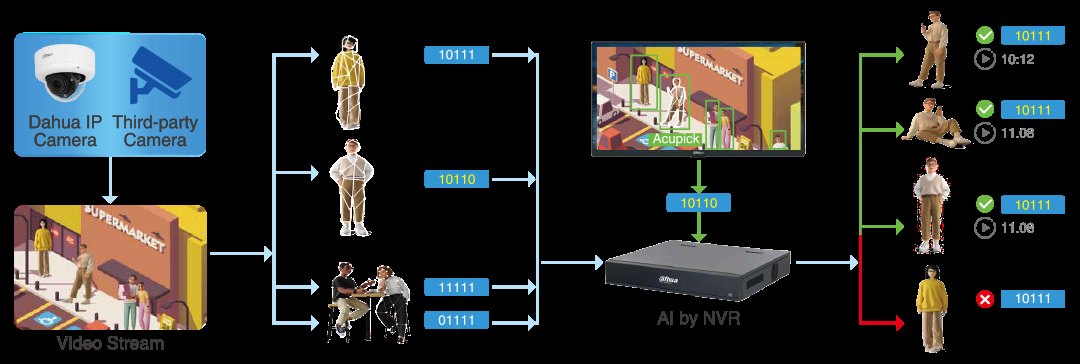
This is the most important practical change in AcuPick 2.0. The analysis runs on the recorder, not in the camera — so AcuPick can be used with ordinary Dahua cameras and with other manufacturers' cameras. The existing system does not have to be replaced.

5. Trajectory on the map
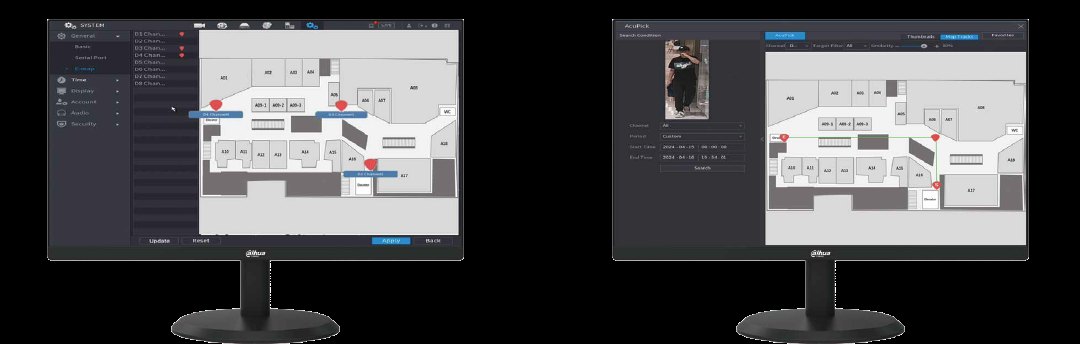
Cameras can be placed on a floor plan and AcuPick draws the target's route onto that map. Instead of working through one camera at a time, you see at once where the target came in and where they went.
6. Where it helps most
| Situation | What changes |
|---|---|
| Property has gone missing | Draw an area around where the item was and get the clips where someone approached it — no scrolling through hours of footage. |
| A suspicious person | When the exact time is unknown, search by attributes helps; the trajectory on the map shows where they went next. |
| A pet at home | Animal search finds the day's clips without watching the whole recording. |
Tell us what cameras and recorder are on site — we will check whether changing the recorder is enough. For installers, technical help and support in designing the solution are free of charge.
Get in touch All Dahua camera technologiesSource: Dahua Technology, “AcuPick 2.0” (dahuasecurity.com, Key Technologies). Images: the same page.